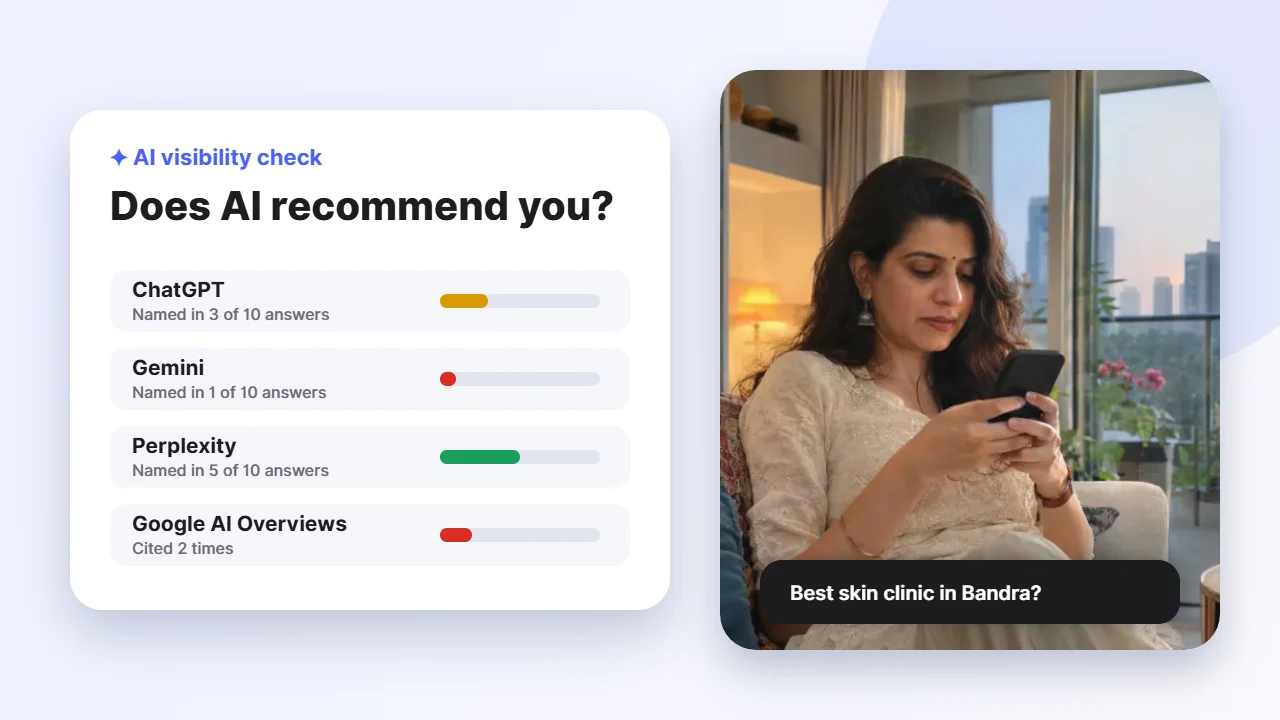
- List 10 to 20 questions your customers really ask, such as “best skin clinic in Bandra”.
- Ask each one on ChatGPT, Gemini, Perplexity, Copilot and Google, in a fresh or logged-out chat.
- Score each answer: are you named, described correctly, and is your website cited?
- Check that AI crawlers like OAI-SearchBot are allowed in your robots.txt.
- Use Google Search Console’s Generative AI report and Bing’s AI Performance report for free data.
Why check your AI visibility
More customers now ask an AI assistant who to call before they ever see a list of links. If ChatGPT or Google’s AI Mode names three competitors and not you, you lose that customer without knowing it happened.
Google itself says that optimising for its AI features is still SEO: the same signals that help you rank also help you appear in AI answers. But AI answers do not always match your Google rankings, so you have to check them directly. The good news is that a basic check takes about 30 minutes and costs nothing.
Step 1: Write down 10 to 20 real customer questions
Use the words your customers use, not your marketing words. Ask your front desk or sales team what people say on the phone and on WhatsApp. Mix these five types:
- “Best” questions: best dermatologist in Bandra, best interior designer in Powai for a 3 BHK.
- Problem questions: how to remove acne scars, why is my AC leaking water.
- Comparison questions: laser vs chemical peel for pigmentation, Thane vs Navi Mumbai for a 2 BHK.
- Price questions: HydraFacial cost in Mumbai, CA coaching fees in Andheri.
- Brand questions: is [your business] good, [your business] reviews, [your business] vs [competitor].
Keep the list in a simple sheet with one row per question. You will reuse it every month, so the same list lets you see real progress.
Step 2: Ask every AI the same way
Ask each question on the assistants your customers use. For most Indian businesses that means ChatGPT, Google (AI Overviews and AI Mode), Gemini, Perplexity and Microsoft Copilot. AI Mode is now available in India in English, Hindi, Marathi and several other Indian languages, so test a Hindi or Marathi version of your top questions too if your customers search that way.
- Use a temporary chat, an incognito window or a logged-out session, so your past chats do not change the answer.
- Add the location to local questions (“in Bandra”, “near Thane station”) because AI tools may not know where you are.
- Ask each question twice. AI answers vary from one run to the next, and a business that appears in both runs is more reliably recommended.
- Take a screenshot of every answer. Screenshots are your proof when you compare next month.
Step 3: Score every answer
For each answer, record four things. This simple scoring turns a pile of screenshots into one number you can track.
| Check | What to record | Points |
|---|---|---|
| Named | Is your business mentioned at all? | 1 |
| Position | Are you the first or second business named? | 1 |
| Accurate | Are your services, area and hours described correctly? | 1 |
| Cited | Does the answer link to your own website? | 1 |
Then work out your AI visibility: the number of answers that name you, divided by the total number of answers. If you asked 15 questions on 5 assistants (75 answers) and were named in 9, your visibility is 12%. Note which competitors appear most often too. Their websites, reviews and listings show you what AI currently trusts in your category.
Step 4: Check AI crawlers can read your site
If AI tools cannot read your website, they cannot quote it. Each AI company uses its own crawler, controlled by your robots.txt file. The most important one for ChatGPT is OAI-SearchBot: OpenAI says sites that block it will not be shown in ChatGPT’s search answers, and that changes to robots.txt take about a day to take effect.
| Crawler | Company | What it is for |
|---|---|---|
| OAI-SearchBot | OpenAI | Showing and citing sites in ChatGPT search |
| GPTBot | OpenAI | Training future AI models (separate from search) |
| Googlebot | Google Search, including AI Overviews and AI Mode | |
| Bingbot | Microsoft | Bing and Copilot answers |
| PerplexityBot | Perplexity | Perplexity search answers |
| ClaudeBot / Claude-SearchBot | Anthropic | Claude training and search |
Blocking GPTBot keeps your content out of model training but does not remove you from ChatGPT search. Many businesses allow the search crawlers and decide separately about training crawlers. Our free SEO + AI checker reads your robots.txt and shows which AI crawlers are allowed, plus whether you have an llms.txt file.
Step 5: Use the free Google and Bing reports
Manual checks show what AI says. Two free tools now show how often your pages appear in AI answers.
- Google Search Console, Generative AI report. Launched in June 2026 and available to all sites worldwide since 31 August 2026, it shows impressions from AI Overviews and AI Mode by page, country and date. It counts impressions, not clicks.
- Bing Webmaster Tools, AI Performance report. In public preview since February 2026, it shows how often Copilot and Bing’s AI answers cite your pages, and the “grounding queries” behind those citations. You can import your site from Search Console in a few minutes.
- Google Analytics 4. Check referral traffic from chatgpt.com, perplexity.ai, gemini.google.com and copilot.microsoft.com. Visitors from AI answers often convert well because the AI has already recommended you.
What your score means and what to fix first
- Under 10%: start with the basics. Make your name, address, phone and hours identical everywhere, complete your Google Business Profile, and allow AI search crawlers.
- 10% to 30%: AI knows you but does not trust you most. Add clear service pages and FAQs that answer customer questions in the first sentence, and ask happy customers to mention the service in their reviews.
- Over 30%: you are in the conversation. Earn mentions on trusted local and industry sites, keep content fresh, and track competitors every month.
For the full playbook on improving these signals, read our guide on how to get your business recommended by ChatGPT, Gemini and Google AI.
How often to re-check
Re-run the same question list once a month, on the same assistants, the same way. AI answers change as models update and as new sources appear, so a single check is a snapshot, not a verdict. Monthly tracking shows whether your fixes are working and warns you early if a competitor starts to take your place.